
Sling: Live TV + Freestream
Sling TVEntertainment
4.442.19K Reviews
- Version
- 9.5.92
- Installs
- 10.00M
- Age Rating
- Teen
Screenshots
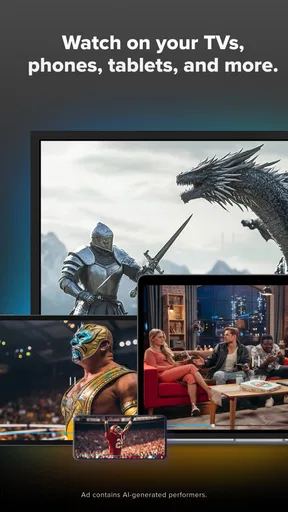
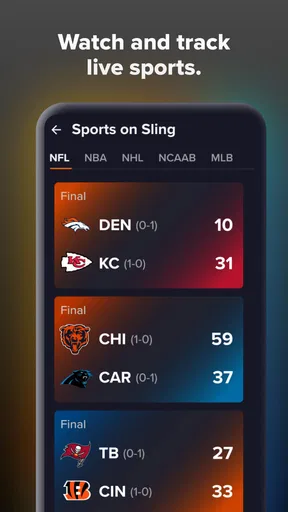
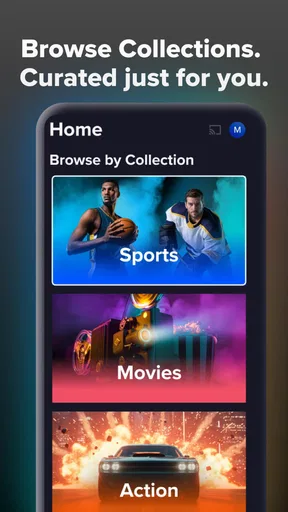
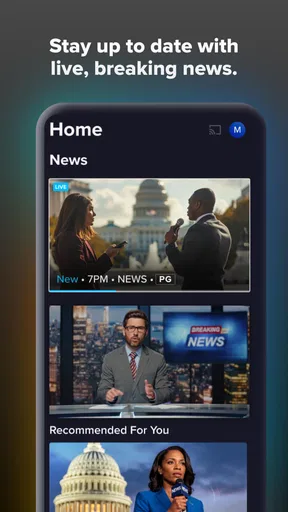
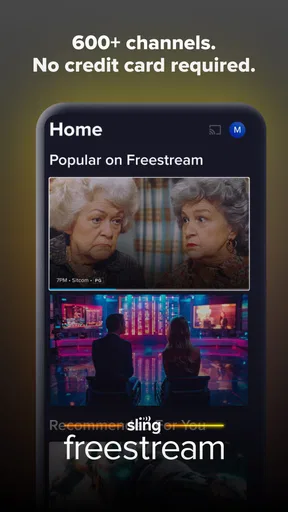

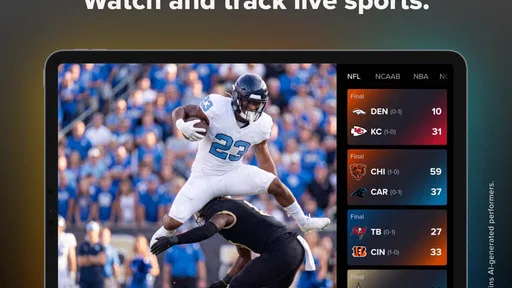
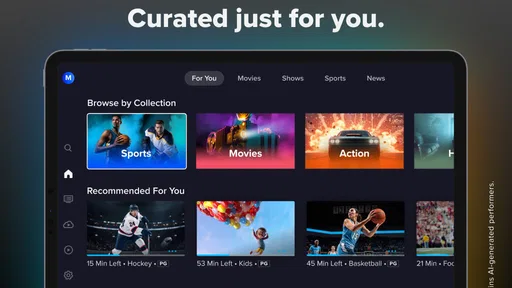
Our Review of Sling: Live TV + Freestream
 Analysis by Appyee
What makes Sling worth a closer look is the way it puts free streaming alongside a paid live-TV service. I find that split more useful than a simple “cable replacement” pitch: you can open the app to browse without first deciding that a monthly plan is essential, then consider a customizable plan if its live lineup suits your routine. Sling: Live TV + Freestream is an entertainment app from Sling TV, L.L.C., and that two-sided approach is the part I’d weigh most carefully before installing it.
Free browsing changes the first step
Freestream gives the app a low-pressure starting point. When I don’t have a particular program in mind, a collection of free channels can make channel surfing feel more natural than choosing a show from a huge on-demand catalogue. It is also a practical way to see whether you enjoy opening Sling and browsing its kind of TV before deciding whether a paid plan belongs in your budget.
That distinction matters: free access and a customizable live-TV plan are not the same thing. I would treat Freestream as a way to browse and watch what is available there, not as a promise that every channel or program I might want is free. If a particular sport, news channel, or show is the reason you are considering the app, check that it is included in the plan you intend to use before building your routine around it.
How I’d fit it into a normal week
A realistic use case is an evening when I want background TV while making dinner, but I haven’t picked a show. I can start with the free channels, see what catches my attention, and use search when I have something specific in mind. On a night when live coverage matters more, a paid plan may make more sense—provided its channel selection matches what I actually watch. This is where Sling’s flexibility has real value: I can think in terms of viewing habits rather than assuming everyone needs the same bundle.
One useful habit is to make a short list of must-have channels before choosing a plan. It’s easy to be drawn to a broad lineup, but a package is only good value if its channels are ones you’ll use. I’d also distinguish between “I like having live TV available” and “I need this particular channel regularly.” The first may make Freestream enough for casual browsing; the second is a reason to compare the paid options more closely.
The app is free to download, but that does not mean all of its viewing is free. It offers in-app purchases ranging from $0.99 to $99.99 per item, so I’d review the plan and purchase details on the screen before confirming anything. There are no long-term contracts, which can help if you want flexibility, but it is still worth checking what you are selecting and whether the lineup meets your needs.
Where it sits beside other TV options
Compared with a traditional cable subscription, Sling’s appeal is the option to choose a plan without signing up for a long-term contract. Compared with a service built mainly around on-demand series and films, its focus on live channels makes it better suited to people who like scheduled programming, current news, or watching sports as events happen. Those are different jobs, and neither approach is automatically better.
If your evenings revolve around a small number of specific shows that you prefer to watch whenever you like, an on-demand service may be simpler. If you want a familiar channel-surfing routine, Sling’s mix of live TV and Freestream is more relevant. I would not choose it just because “more channels” sounds appealing; I’d choose it if live programming is part of how I actually watch television.
There is also a trade-off in having free and paid viewing in one place: it can make the app feel like a useful starting point, but it can also blur the line between what is available at no cost and what depends on a plan or purchase. I’d pause at the point where the app asks me to select an option and read the terms on-screen rather than assuming that a channel I see while browsing is included in every tier.
Who gets the most from the setup
I think Sling is most appealing to someone who wants the option of live TV but doesn’t want a fixed cable commitment, especially if they enjoy browsing channels rather than choosing every program in advance. It can also suit a household where one person follows live sports or news while others use the free side more casually. The key is to check the channel lineup against the household’s actual favorites, not to assume one plan will cover every taste.
It is less compelling if you rarely watch live television, expect every title to be available on demand, or only want one specific channel that is not part of the plan you are considering. In those cases, a focused on-demand subscription or another service with the exact channel you need may be a cleaner fit. I’d also think about how often I watch away from home and on which screen; convenience depends on the device and viewing situation, not just the channel list.
For a shared household, a small bit of planning can prevent disappointment. Ask each regular viewer to name the channels they would genuinely miss, then compare those names with the plan options. That simple check is more reliable than choosing based on a long list of channels, many of which may never be watched. For a solo viewer, the same idea works: identify the one or two reasons you want live TV and judge the app against those first.
First Impressions and Setup
So, setting up Sling: Live TV + Freestream is a breeze. I downloaded the app on my phone, and within minutes, I was ready to go. The interface is straightforward, which I appreciate because who has time to navigate a confusing app? Seriously, it’s like they knew I wanted to find my shows without a hassle. You’ll need to sign up, but the process is painless and pretty quick.
Channel Lineup and Content
Once you’re in, the fun begins. Sling offers a cool mix of live TV channels and on-demand content. Whether you’re into sports, news, or the latest reality TV drama, there’s something for everyone. I was pleasantly surprised to find a lot of channels I actually watch, which isn’t always the case with streaming services. Plus, they have these neat add-on packages if you want a little extra.
One of the standout features is the Freestream option. Imagine having access to a variety of free channels! It’s perfect for those days when you’re just looking to browse and discover new content without committing to a subscription.
User Experience
I’ve got to say, the user experience on Sling is pretty solid. The app runs smoothly on both Android and iOS, so no matter what device you’re on, you’re covered. The video quality is top-notch, and I didn’t experience any annoying buffering (which is a win in my book!).
Navigating through the app is intuitive. You can easily switch between live TV and on-demand content, and the search function is pretty robust. It’s easy to find what you’re looking for without getting lost in endless menus.
Cost and Value
Now, let’s chat about the cost. Sling is known for being affordable compared to traditional cable, and it lives up to that reputation. They offer different packages, so you can choose what fits your budget and viewing habits. The best part? No long-term contracts. It’s all about flexibility here.
For those who want to test the waters, Sling often has promotions and trials, so you can get a taste of what they offer before committing. It’s a smart move, especially if you’re unsure whether you want to cut the cord completely.
Final Thoughts
Overall, Sling: Live TV + Freestream is a fantastic option if you’re looking to ditch traditional cable without sacrificing your favorite channels. The combination of live TV and on-demand content, plus the addition of Freestream, makes it a versatile choice for any TV lover.
If you’re on the fence about switching to a streaming service, give Sling a shot. It’s easy to set up, user-friendly, and offers a good bang for your buck. Whether you’re a sports fanatic or just love binge-watching the latest shows, Sling has something for you.
Happy streaming!
Practical checks before settling in
Because the app is available on both Android and iOS, it can be convenient to start on a phone, but I wouldn’t judge a full evening of viewing from the first few minutes on a small screen. Think about where you expect to watch most often and try the interface on that device if it is available to you. A setup that feels quick on a phone may still feel different when you are searching from the couch or switching between live and on-demand choices.
Search is most useful when I use it with a clear target; browsing is better when I’m open to whatever is on. That sounds obvious, but it helps avoid the common streaming frustration of endlessly scrolling. If I already know a team, news topic, or program I’m looking for, I’d search first. If I just want something on while doing chores, I’d browse Freestream rather than spending time comparing every option.
There is a useful decision point for anyone unsure whether to pay: use the free side to learn whether the app’s layout and channel-based approach fit your habits, then decide whether the paid lineup solves a real gap. That is more informative than subscribing simply because the app has a large selection. A trial or promotion may be available, but I’d check the current terms in the app before relying on one, since offers can change.
A measured recommendation
Sling has a Teen content rating, an average rating of 3.0 from around 98,000 ratings, and over 10 million installs. Those figures suggest plenty of people have tried it, but they are not a substitute for checking whether its lineup fits your own viewing. The app has been available since February 9, 2015, and version 9.5.39 requires Android 7.0 or later. It is free to install, with optional in-app purchases.
My recommendation is conditional rather than universal. If you value live programming, want a flexible alternative to a cable contract, and are willing to check plan details before paying, Sling is worth exploring. If you mainly watch carefully chosen series at your own pace, or your must-have channel is missing from the option you are considering, another kind of streaming service is likely to suit you better. For me, Freestream is the strongest reason to begin browsing, while the paid side earns its place only when its particular channels match a real need.
Verdict
Strengths of Sling: Live TV + Freestream
- Wide variety of channels available.
- Affordable pricing compared to cable.
- User-friendly interface design.
- Supports multiple devices seamlessly.
- Flexible subscription options.
Limitations of Sling: Live TV + Freestream
- Occasional buffering issues.
- Limited DVR storage capacity.
- Some channels missing in packages.
- Ads present in free version.
- Geo-restrictions on content.
Similar Picks in This Category
View All
Google Play Games
Google LLC3.9

Netflix
Netflix, Inc.4.8

YouTube Kids
Google LLC4.2

Disney+
Disney4.4

Prime Video
Amazon Mobile LLC4.7

Steam
Valve Corporation3.2
Frequently Asked Questions
What channels are available on Sling: Live TV + Freestream?
Sling offers a wide variety of channels, including popular networks like ESPN, CNN, HGTV, and AMC. The availability of channels can vary based on your subscription package, ensuring you can customize your viewing experience. Additionally, Freestream provides access to free channels that include news, sports, and entertainment.
How does the subscription pricing work for Sling?
Sling offers multiple subscription tiers to fit different budgets and preferences. The plans typically start with a base package, and users can add extra channel bundles for an additional cost. There are often promotional offers for new subscribers, so it's worth checking for discounts before signing up.
Can I watch Sling on multiple devices simultaneously?
Yes, Sling allows users to stream on multiple devices at once, but the number depends on your subscription plan. The Orange plan allows one stream at a time, while the Blue plan permits up to three simultaneous streams. Combining both plans increases flexibility and streaming options.
Is there a free trial available for Sling?
Sling often provides a free trial for new users, allowing them to explore the service before committing to a subscription. The duration and availability of the trial can vary, so it's best to check Sling’s official website for the current trial offers and terms.
What internet speed is required to stream Sling effectively?
To ensure smooth streaming on Sling, a stable internet connection is essential. A minimum speed of 5 Mbps is recommended for single streams in standard definition, while 25 Mbps or higher is ideal for households with multiple users or for streaming in high definition to avoid buffering issues.
